How to Use Turbo Frames in Ruby on Rails: Modal Window Example

How to Use Turbo Frames in Ruby on Rails: Modal Window Example

Turbo Frames allow you to update specific parts of a page without reloading the entire page. This guide shows how to create a modal window for creating posts using Turbo Frames.

Turbo Frames let you divide your page into independent sections that can be updated separately. When you click a link or submit a form, only the content inside the matching Turbo Frame gets updated.

How to Set Up a Private Docker Registry with UI and Authentication

If you work with Docker and need your own private registry to store images β€” this guide is for you. Let’s explore how to deploy Docker Registry with a convenient web interface and set up authentication through Nginx.

First, let’s create a docker-compose.yml file with two services: the registry itself and a UI for it.

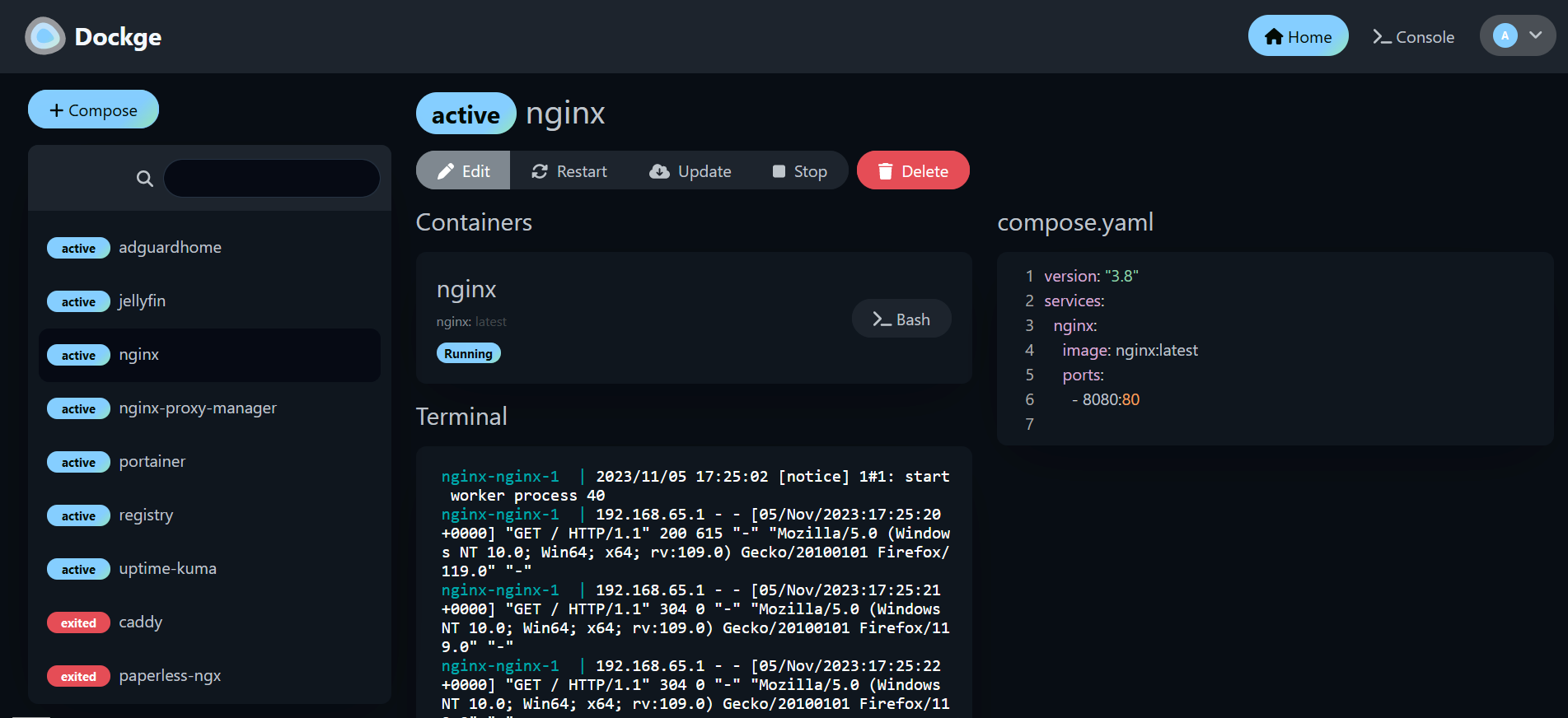
Dockge – Beautiful, Fancy, Easy-to-Use Docker Compose Manager

Today I discovered a fantastic tool for managing my Docker containers based on docker-compose.yml files β€” it’s called Dockge.

Dockge isn’t just another wrapper around Docker β€” it genuinely impressed me. It has a beautiful, modern interface, works fast, and most importantly, makes it super easy to start, stop, and monitor services in a stack. Some highlights:

dockge

RubyMine and Cursor AI Synchronisation

At the time of writing, AI integration in RubyMine is still lacking.
As a workaround, we can use two tools in tandem:

  1. RubyMine – a powerful and full-featured IDE
  2. Cursor AI – an additional editor enhanced with AI capabilities

To make this setup efficient, it would be great to synchronize these tools.
For example, when we open a file in RubyMine, the same file could also be opened automatically in Cursor AI.